How to Choose Hot Swappable Switches in 2026?
Choosing Hot Swappable Switches in 2026 is no longer a simple matter of picking blue, brown, or red. Modern keyboards offer silent, tactile, linear, low-profile, magnetic, and long-pole options. Each design changes sound, resistance, travel, and typing comfort. The right choice depends on your hands, keyboard plate, keycaps, and daily workload.
Keyboard designer and reviewer Thomas Baart offers a useful perspective: “The best switch is the one that makes your keyboard feel right to you.” That idea matters. A switch that sounds excellent in a recorded review may feel tiring after four hours of writing. A smooth linear switch may suit gaming, yet feel too soft for someone who relies on tactile feedback. Personal testing remains more reliable than marketing language.
This guide explains how to compare Hot Swappable Switches with practical criteria. We will examine actuation force, spring weight, travel distance, housing design, factory lubrication, noise, and durability. We will also consider compatibility, because hot-swap sockets do not support every switch equally. Some switches may need pin adjustment, while others may fit poorly in certain plates.
Small details matter.
Listen beside an open window. Test the same keycap across several switches. Notice finger fatigue, not only the first pleasant press. I have sometimes preferred a cheaper switch after a full afternoon of typing, which challenges my early assumptions. Reviews can help, but they cannot replace your own hands. In 2026, choosing well means balancing measurable specifications with honest, repeated use.
What Hot-Swappable Switches Are and How They Work
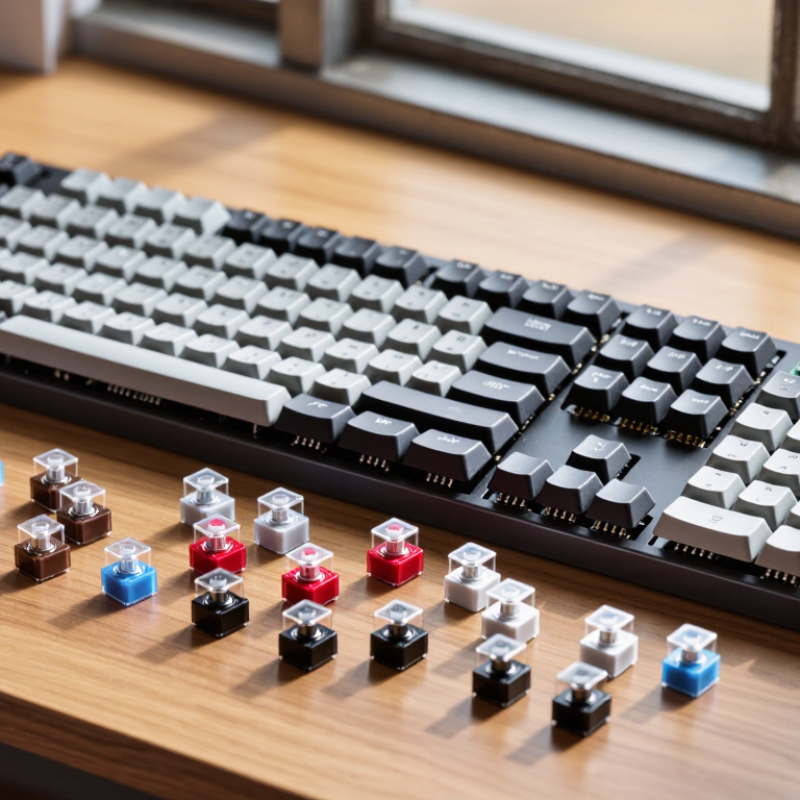
Hot-swappable switches fit into metal contacts on a keyboard PCB, rather than being soldered permanently. You can pull one out with a switch tool and install another in seconds. The socket receives the switch’s two electrical legs. Extra plastic pins provide stability. Some sockets accept three-pin switches, while others support five-pin designs. Check the PCB before buying.
A switch changes key feel through its internal stem, spring, and contact leaves. Linear switches move smoothly. Tactile switches add a noticeable bump. Clicky switches create both feedback and sound. Industry reliability reports commonly list mechanical switch lifespans from 50 million to 100 million presses. Treat those figures carefully. Laboratory presses are not the same as dusty desks, heavy impacts, or rushed typing.
Professional keyboard testing guides usually compare actuation force, pre-travel, total travel, and return force. Lower actuation force can reduce fatigue, but it may cause accidental presses. Heavier springs feel controlled, yet long writing sessions may feel tiring. A 2024 mechanical-keyboard market report also identified customization as a major growth factor, supporting hot-swap designs. However, market growth does not prove better typing quality. I still test several switch weights before choosing. Sound changes with keycaps, plate material, and the keyboard case. The switch alone never tells the whole story.
How to Choose Hot-Swappable Switches in 2026? — What Hot-Swappable Switches Are and How They Work
A practical comparison of switch behavior, electrical compatibility, installation requirements, and selection factors. Specifications are typical design ranges; always verify the exact switch and keyboard specifications before purchasing.
| Comparison Dimension | Linear Switches | Tactile Switches | Clicky Switches | What to Check Before Choosing |
|---|---|---|---|---|
| Switch Feel and Sound | ||||
| Key movement | Smooth and uninterrupted from the top of the press to the bottom. | Has a noticeable bump that signals the actuation point. | Has a tactile bump plus a separate click mechanism for audible feedback. | Choose based on whether you prefer smooth travel, physical feedback, or audible feedback. |
| Typical sound level | Low to medium; bottom-out and keycap noise still contribute. | Medium; sound depends on the housing, spring, keycap, and typing technique. | Medium to high because the click mechanism produces an additional sound. | For shared spaces, linear or quieter tactile designs are generally less intrusive than clicky designs. |
| Common use preference | Fast repeated input, gaming, and users who prefer a consistent press. | General typing, office work, and users who want feedback without a click jacket. | Users who enjoy a pronounced sound and clearly defined keystrokes. | Personal preference is more important than the switch label; test a small sample when possible. |
| Mechanical and Electrical Specifications | ||||
| Typical total travel | Approximately 3.5–4.0 mm for standard-height designs. | Approximately 3.5–4.0 mm for standard-height designs. | Approximately 3.5–4.0 mm for standard-height designs. | Low-profile switches use shorter travel and require a compatible low-profile keyboard, plate, keycap, and socket system. |
| Typical actuation travel | Approximately 1.8–2.2 mm. | Approximately 1.8–2.2 mm. | Approximately 1.8–2.2 mm. | A shorter actuation point can feel faster, but it may also increase accidental presses for some users. |
| Typical operating force | Approximately 35–65 gf, with many standard designs around 45–55 gf. | Approximately 45–70 gf, including the force required to pass the tactile bump. | Approximately 45–70 gf, depending on the click mechanism and spring. | Lower force can reduce finger fatigue; higher force may help prevent unintended activation. Force curves matter more than one force rating. |
| Electrical actuation method | Metal contact leaves or an equivalent switch sensor changes the keyboard circuit state. | Metal contact leaves or an equivalent switch sensor changes the keyboard circuit state. | Metal contact leaves or an equivalent switch sensor changes the keyboard circuit state; the click mechanism is separate from electrical actuation. | Confirm that the switch is compatible with the keyboard’s sensing method. A mechanical hot-swap socket does not automatically support optical or magnetic switches. |
| Rated service life | Commonly rated from about 50 million to over 100 million actuations, depending on construction and test method. | Commonly rated from about 50 million to over 100 million actuations, depending on construction and test method. | Commonly rated from about 50 million to over 100 million actuations, depending on construction and test method. | Rated life is a laboratory estimate, not a guarantee of feel, sound, or contact performance over the entire service period. |
| Hot-Swap Compatibility | ||||
| What hot-swappable means | The keyboard uses removable sockets, allowing compatible switches to be installed or replaced without soldering each switch to the circuit board. | Hot-swap capability belongs to the keyboard’s circuit board and sockets; it is not a property that every mechanical switch provides by itself. | ||
| Standard mechanical switch format | Many standard-height mechanical switches use an MX-style footprint with two metal electrical pins and one or more plastic positioning pins. | Check the number and position of pins, switch height, plate clearance, and whether the keyboard accepts 3-pin, 5-pin, or both formats. | ||
| 3-pin versus 5-pin | A 3-pin switch generally has two electrical pins and one central plastic guide pin. A 5-pin switch adds two plastic stability pins. | A 5-pin switch may be usable in a 5-pin PCB without modification. Some 5-pin switches can be converted to 3-pin by removing plastic guide pins, but this may reduce PCB-level stability. | ||
| Socket insertion requirement | Pins must be straight and aligned before insertion. Bent pins can fail to enter the socket or can damage the socket. | Install switches with the keyboard unplugged, support the PCB when needed, and avoid forcing a switch into place. | ||
| Lighting compatibility | Backlight performance depends on LED position, housing opacity, and whether the switch uses a compatible opening or light path. | For south-facing or north-facing LEDs, verify keycap clearance and the switch housing’s LED window to reduce interference or uneven lighting. | ||
| Stabilized keys | Long keys use stabilizers, which affect key feel and sound independently of the main switch. | A switch that feels good on a letter key may not eliminate rattle or stiffness on the spacebar, Enter, Shift, or Backspace keys. | ||
| Selection Guide | ||||
| Choose linear when... | You want a smooth press with no tactile interruption, consistent repeated input, or a quieter baseline sound. | Prioritize spring weight, smoothness, wobble control, and bottom-out behavior. | ||
| Choose tactile when... | You want physical confirmation of actuation without the distinct click produced by a clicky mechanism. | Compare pre-travel, bump position, bump strength, and return force rather than relying only on the word “tactile.” | ||
| Choose clicky when... | You specifically enjoy an audible click and a strong, clearly defined typing event. | Consider room acoustics, microphone use, shared workspaces, and whether the click sound may disturb others. | ||
| Best first checks for a hot-swap keyboard | Confirm standard versus low-profile format, mechanical versus optical or magnetic sensing, pin layout, socket compatibility, and keycap clearance. | Buy a small sample or use a switch tester before purchasing a full set, especially when force, sound, or tactile intensity is important. | ||
Important: “Hot-swappable” does not mean universal compatibility. The keyboard PCB, socket type, switch sensing technology, switch dimensions, plate, stabilizers, and keycaps must all work together.